25BD Deposit Guide: Fund Your Account in Minutes
By the end of this guide you will know exactly which payment method to pick, how to complete a deposit in under six minutes, and what to do if anything goes wrong.
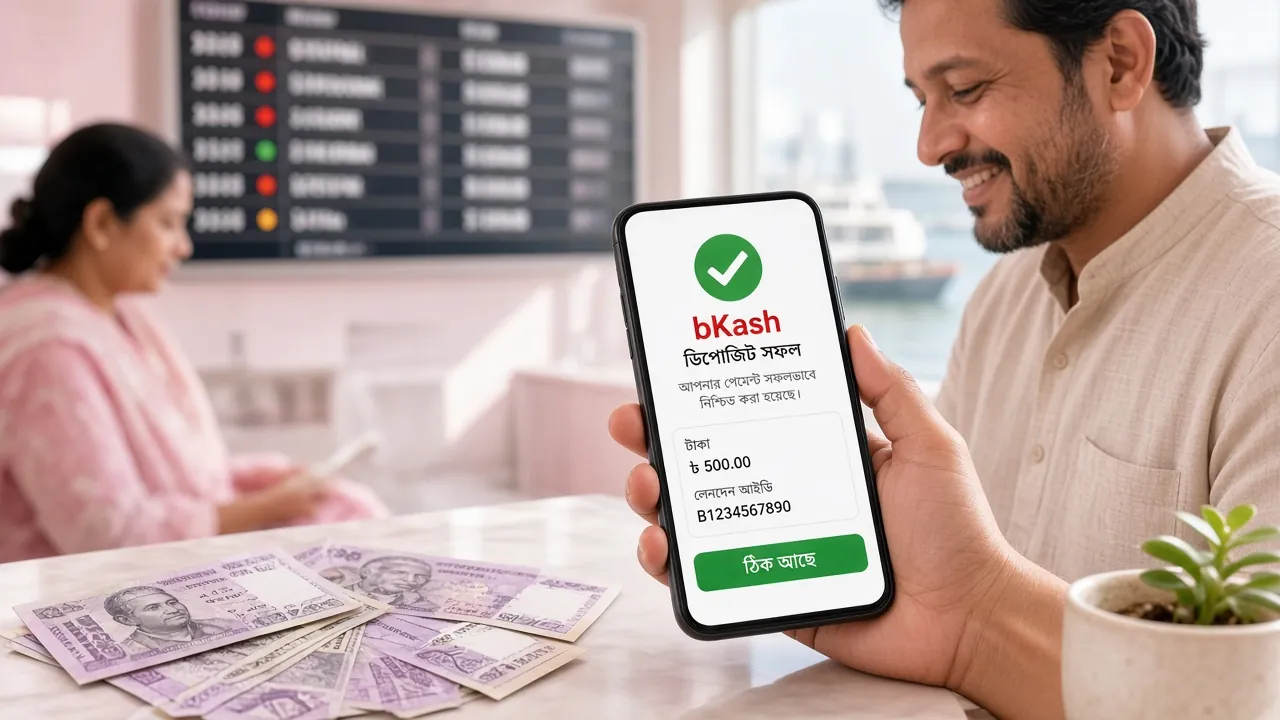
Payment Methods at a Glance
All four methods are mobile-first and available around the clock. Deposits arrive within six minutes; withdrawals process within 30 minutes once approved.
- bKash Min Deposit৳200 Deposit Arrival~6 min Withdrawal~30 min
- Nagad Min Deposit৳200 Deposit Arrival~6 min Withdrawal~30 min
- Rocket Min Deposit৳200 Deposit Arrival~6 min Withdrawal~30 min
- Upay Min Deposit৳200 Deposit Arrival~6 min Withdrawal~30 min
Step-by-Step: Deposit with Each Method
Pick your wallet below. The process is similar for all four — the main difference is which app you open on your phone.
-
01
Log in to 25BDOpen the 25BD website or the app and go to your account dashboard. Tap Deposit.
-
02
Select bKashChoose bKash from the payment method list. The page will display the merchant number to send money to.
-
03
Open your bKash appTap Send Money, enter the merchant number shown on screen, then enter the amount (minimum ৳200).
-
04
Enter your bKash PINConfirm the transaction with your 5-digit PIN. Do not share this PIN with anyone — 25BD staff will never ask for it.
-
05
Copy the TrxIDOnce bKash confirms the transfer, copy the Transaction ID (TrxID). Take a screenshot.
-
06
Submit on 25BDPaste the TrxID into the deposit form on the 25BD site and click Confirm. Funds arrive in your account within six minutes.
-
01
Go to Deposit in 25BDLog in to your 25BD account and open the Cashier, then select Deposit.
-
02
Choose NagadSelect Nagad from the list. Note the merchant number displayed — this changes periodically, so always use the number shown at the time of your deposit.
-
03
Send from Nagad appOpen Nagad, tap Send Money, and enter the amount (minimum ৳200) to the displayed merchant number.
-
04
Confirm with PINEnter your Nagad PIN to approve. Never share your PIN or OTP with anyone.
-
05
Note the TrxIDNagad will show a confirmation message with a Transaction ID. Screenshot it.
-
06
Submit TrxID on 25BDEnter the TrxID in the 25BD deposit form and click Confirm. Balance updates within six minutes.
-
01
Open the Deposit PageLog in to 25BD, go to Cashier and select Deposit.
-
02
Select RocketPick Rocket from the payment options. The site shows the agent/merchant number to use.
-
03
Dial or use the Rocket appYou can use the Rocket app or dial *322#. Select Send Money and enter the merchant number plus your amount (min ৳200).
-
04
Authorise with PINEnter your Rocket PIN to complete the transfer. Keep the confirmation SMS.
-
05
Get the TrxIDRocket sends a confirmation SMS with a Transaction ID. Copy it.
-
06
Confirm on 25BDEnter the TrxID on the 25BD deposit form and submit. Your account is topped up within six minutes.
-
01
Visit Deposit in 25BDLog in and navigate to Cashier → Deposit.
-
02
Choose UpaySelect Upay from the list and copy the merchant number shown on screen.
-
03
Open your Upay appTap Send Money, paste the merchant number, and enter the deposit amount (min ৳200).
-
04
Enter Upay PINConfirm with your Upay PIN. The app will generate a TrxID on success.
-
05
Copy TrxID & screenshotSave the transaction confirmation screen before leaving the app.
-
06
Submit on 25BDEnter the TrxID on 25BD and click Confirm. Funds should appear within six minutes.
Why Your 25BD Deposit Might Not Arrive
Most failed deposits fall into one of four categories. Here is what to look for and what to do next.
| Reason | What Happened | How to Fix It |
|---|---|---|
| Wrong merchant number | You sent to an outdated or manually typed number that did not match the one on the deposit page at the time. | Always copy the number directly from the 25BD deposit page. If the money has gone to the wrong recipient, contact your mobile wallet's customer line immediately. |
| TrxID not submitted | You sent the money but did not paste the Transaction ID into the 25BD deposit form, so the system cannot match the payment. | Go back to the deposit page and submit your TrxID within 30 minutes. If the form timed out, contact 24/7 live chat with your TrxID and screenshot. |
| Amount below minimum | The transfer was for less than ৳200, which is the minimum deposit. | Make a new deposit of at least ৳200. Contact live support about the failed amount — they will advise on a refund. |
| Insufficient wallet balance | Your bKash/Nagad/Rocket/Upay account did not have enough funds to cover the amount. | Top up your mobile wallet first and try the deposit again. |
| Transaction limit reached | Your mobile wallet has daily or monthly send-money limits set by the provider. | Try a different payment method (e.g., switch from bKash to Nagad) or wait until the limit resets. |
Protect Your Mobile Wallet: Safety Checklist
Fraudsters target mobile wallet users because transactions are instant and hard to reverse. Keep this checklist in mind every time you deposit.
-
Never share your PIN or OTP. No 25BD staff member — not live chat, not email, not phone — will ever ask for your bKash PIN, Nagad PIN or any one-time password. If someone asks, end the conversation immediately.
-
Ignore calls claiming to be from 25BD support asking you to make a "test" transfer. Real support handles issues inside the platform, not by asking you to send money to a personal number.
-
Always use the merchant number shown on the deposit page at that moment. Do not reuse a number from an old screenshot — it may have changed.
-
Take a screenshot of every confirmation screen before leaving your wallet app. Keep the TrxID in a note until your 25BD balance updates.
-
Watch for phishing SMS messages that copy the look of bKash or Nagad confirmations but link to fake pages. Always open apps directly from your phone's home screen, not from links in SMS.
-
If something feels wrong, contact 24/7 live chat straight away. Have your TrxID and deposit screenshot ready so the team can trace the transaction quickly.
Quick Reference: What to Have Ready
- Your 25BD account logged in and deposit page open before you open your wallet app.
- Merchant number copied from the current 25BD deposit page — not from memory.
- Enough balance in your mobile wallet (at least ৳200 plus any wallet fees).
- Screenshot tool ready on your phone to capture the TrxID confirmation screen.
- Six minutes of patience — funds arrive well within that window in normal conditions.
25BD Limits: Deposits, Withdrawals and VIP Tiers
All amounts are in Bangladeshi Taka (৳). Your daily withdrawal limit rises as you move up the VIP ladder.
| Limit Type | Amount | Notes |
|---|---|---|
| Min. Deposit | ৳200 | Applies to all four payment methods |
| Min. Withdrawal | ৳1,100 | First-time withdrawals may take up to 2 hours |
| Max. Daily Withdrawal (Copper) | ৳70,000 | Default for all new accounts |
| Max. Daily Withdrawal (Silver) | ৳1,10,000 | Requires ৳45,000 monthly turnover |
| Max. Daily Withdrawal (Gold) | ৳1,70,000 | Requires ৳1,40,000 monthly turnover |
| Max. Daily Withdrawal (Platinum) | ৳2,70,000 | Requires ৳4,50,000 monthly turnover |
| Max. Daily Withdrawal (Titanium) | ৳4,20,000 | Requires ৳14,00,000 monthly turnover + personal manager |
| Max. Daily Withdrawal (Royal) | ৳6,60,000 | Requires ৳45,00,000 monthly turnover + personal manager |
* Withdrawal processing time is approximately 30 minutes after approval, except for first-time withdrawals which can take up to 2 hours.
Walking ৳1,000 Through the Full Cycle
This is a worked example using real site numbers. It shows the whole journey from first deposit to withdrawal, so you know what to expect before you start. (All figures are illustrative; actual results depend on game outcomes.)
-
1
Make your first deposit
You send ৳1,000 via bKash. The minimum is ৳200, so ৳1,000 is a solid starting amount that unlocks the full welcome bonus calculation.
Deposit: ৳1,000 -
2
Claim the 200% welcome bonus
Your first deposit is eligible for a 200% bonus up to ৳7,000. On ৳1,000, that means ৳2,000 in bonus funds added to your account instantly.
Bonus = ৳1,000 × 200% = ৳2,000 → Account balance: ৳3,000 -
3
Understand the wagering requirement
To withdraw the bonus as real money, you need to complete an 8× wagering requirement on the combined total (deposit + bonus). That means placing bets totalling ৳24,000 across eligible games such as slots and fishing titles.
Wagering needed = (৳1,000 + ৳2,000) × 8 = ৳24,000 -
4
Play through on eligible games
Games like Fortune Bingo (RTP 97.7%) and Dragon Tiger Luck (RTP 97.5%) help you work through the wagering with relatively efficient returns. You have 7 days after the bonus is credited to meet the requirement.
Example RTP on Fortune Bingo: 97.7% — for every ৳1,000 wagered, expected return ≈ ৳977 -
5
Withdraw once wagering is done
After clearing the ৳24,000 wagering, your winnings become withdrawable. The minimum withdrawal is ৳1,100. At the default Copper tier your daily withdrawal limit is ৳70,000. Submit your withdrawal to bKash or Nagad — most withdrawals are processed in about 30 minutes.
Min. withdrawal: ৳1,100 · Processing: ~30 min · Daily limit: ৳70,000
Keep the example in perspective
This walkthrough uses one example deposit amount and assumes you meet the wagering within the 7-day window. Gambling involves financial risk. Only deposit money you can afford to lose, and gamble within your budget. See our Responsible Gaming page for tools and limits.
First Deposit on Match Night: Four Moves That Avoid Delays
Most failed deposits come from one small mistake made in a hurry, not from the wallet itself. Run through these four moves before you send money and your balance usually updates before the toss.
-
01
Register and open the cashier
Sign up with your mobile number, log in, then tap Deposit on the account dashboard. The cashier only works inside a signed-in session.
-
02
Read the merchant number on screen
Pick bKash, Nagad, Rocket or Upay and copy the merchant number the page shows. Never use a number sent to you in a message, even by someone claiming to be support.
-
03
Send at least ৳200 from your own wallet
Use Send Money from the wallet registered in your own name and confirm with your PIN. Deposits from a friend's account are the slowest kind to trace.
-
04
Keep the TrxID until the balance moves
Note the transaction ID from your wallet's confirmation screen. Funds normally arrive within six minutes, and the TrxID is the one thing live chat needs if they do not.
Your first withdrawal later asks for a photo of your National ID card, passport or driving licence, and the review takes up to 24 hours. Sending that document now saves you a wait on the day you actually win.
Common Questions About Deposits
What is the minimum deposit amount on 25BD?
How long does a deposit take to arrive in my account?
Can I make a deposit without submitting the TrxID?
Does the 200% welcome bonus apply to every deposit?
I sent money to the wrong number — what do I do?
What do I need to do before making my first withdrawal?
Ready to Make Your First 25BD Deposit?
Create your account in a few minutes, pick your payment method and claim the 200% welcome bonus on your first deposit — up to ৳7,000.
18+ · Play Responsibly · Gambling involves financial risk. Only play with money you can afford to lose.